No More Tool-Hopping: I Built an AI-Powered Drawing Assistant That Turns Excel into Charts Instantly
DeepDiagram is an Agentic AI-powered multimodal visualization platform supporting mind maps, architecture diagrams, flowcharts, data charts, and more — all in one place.

As an engineering lead, my daily routine is packed with all kinds of diagrams:
- Morning meetings: I need to quickly sketch a mind map to untangle messy requirements;
- Afternoon planning: I have to draw professional system architecture diagrams, flowcharts, or sequence diagrams;
- Review presentations: I need to turn boring Excel data into intuitive visual charts.
In the past, I had to constantly switch between two or three tools (XMind, Draw.io, ECharts...), deal with incompatible file formats, and waste time tweaking styles. So I decided to build my own open-source AI drawing platform — DeepDiagram.
1. What Does It Do?
DeepDiagram is not just another drawing tool — it's an Agentic AI-powered multimodal visualization platform.
You no longer need to figure out how to connect shapes, pick colors, or learn complex syntax. Just describe what you need, or feed it your documents and data, and the AI will automatically route your request to the most appropriate Agent for rendering.
2. The Killer Feature: Excel to Charts, Instantly
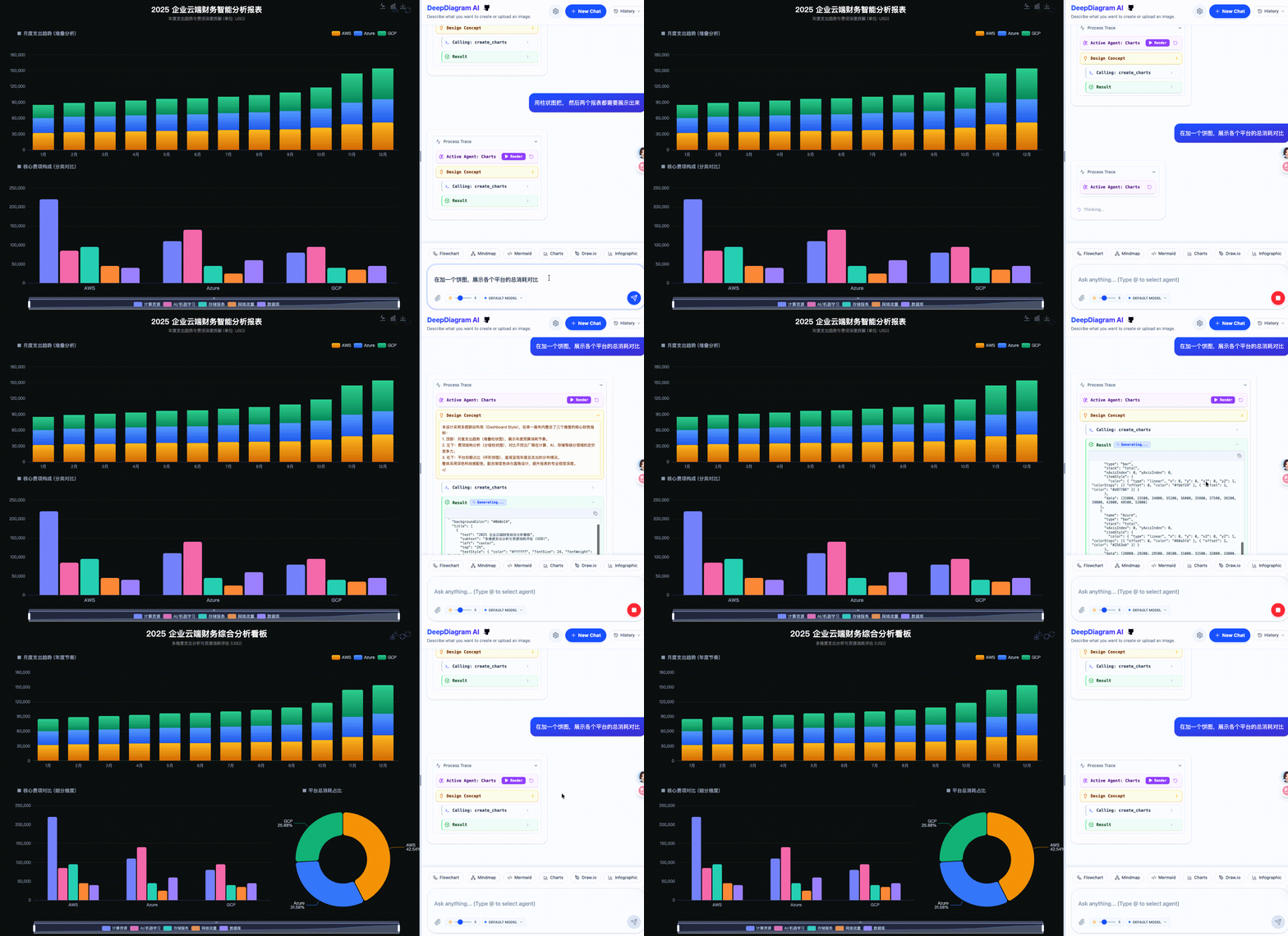
This is the feature I use most. Often we only have a raw Excel spreadsheet and want to create a polished visualization.
In DeepDiagram, simply upload an Excel file and say "analyze this data and create a chart." It automatically identifies data dimensions and uses the built-in ECharts Agent to generate beautiful, interactive charts.
3. Full-Scenario Coverage — One Tool Is All You Need
Beyond data processing, it integrates the most commonly used diagramming capabilities for developers and product managers:
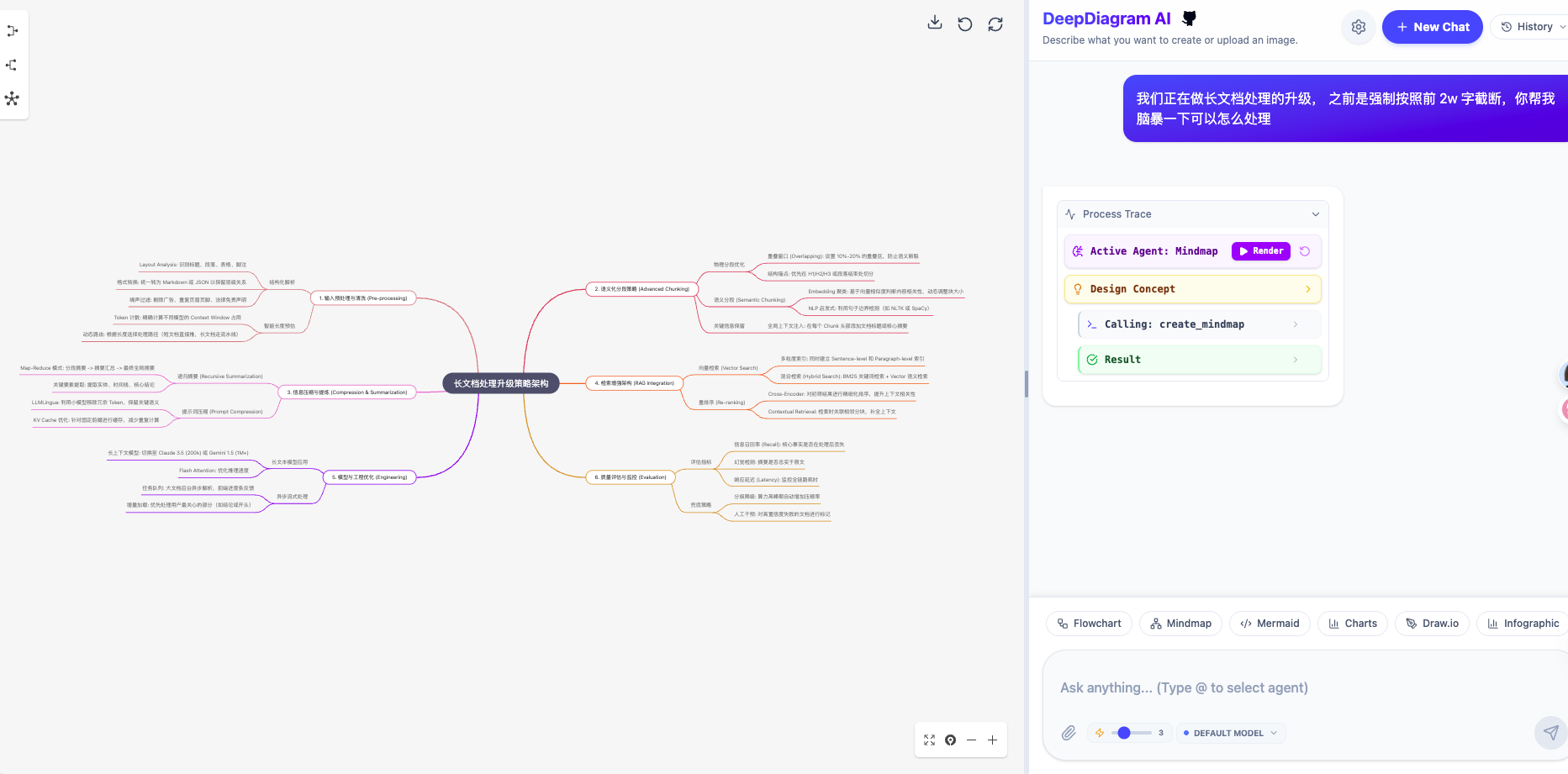
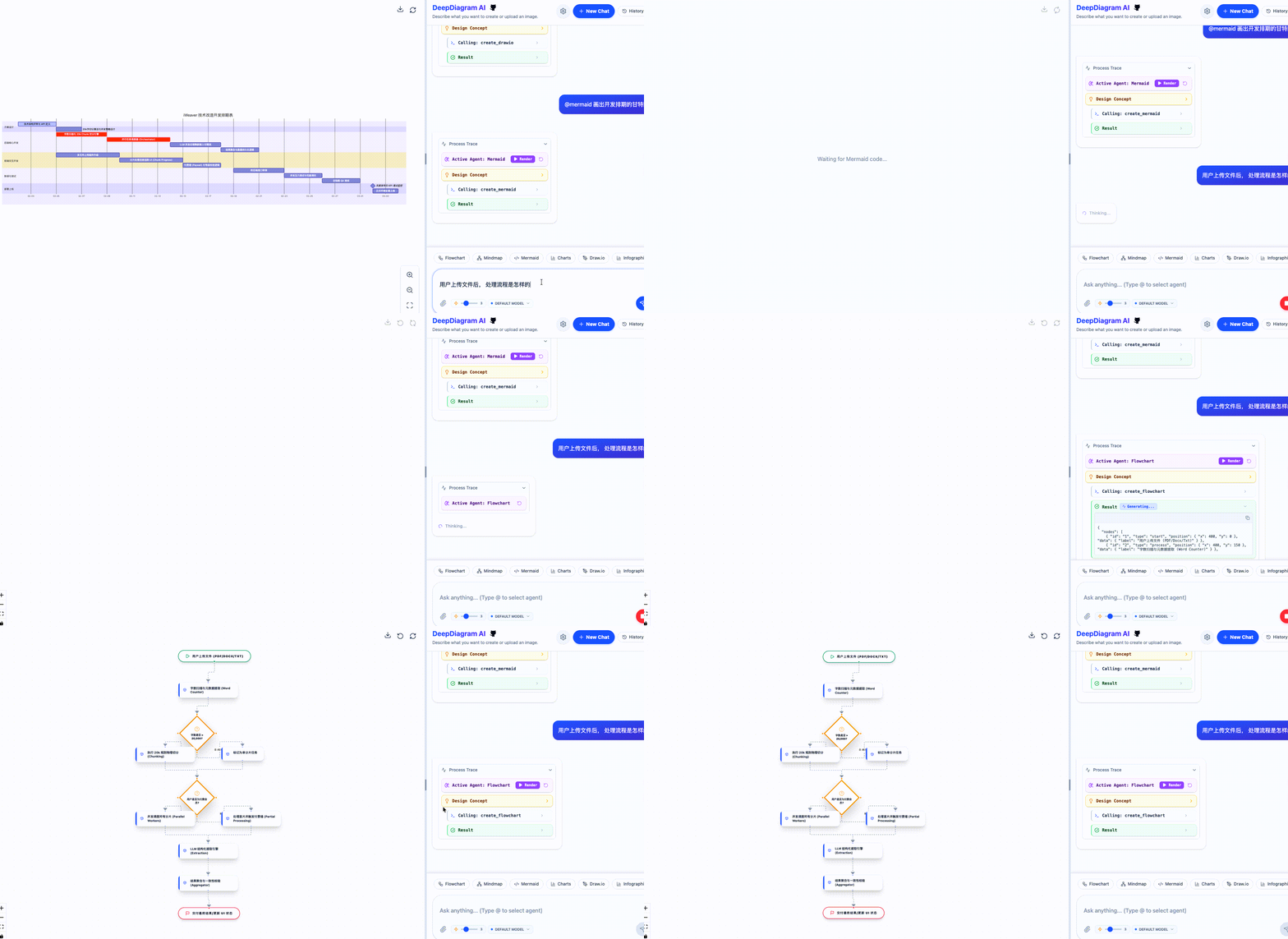
- Mind Maps: Quickly generate clearly structured mind maps from text input, with real-time editing support.
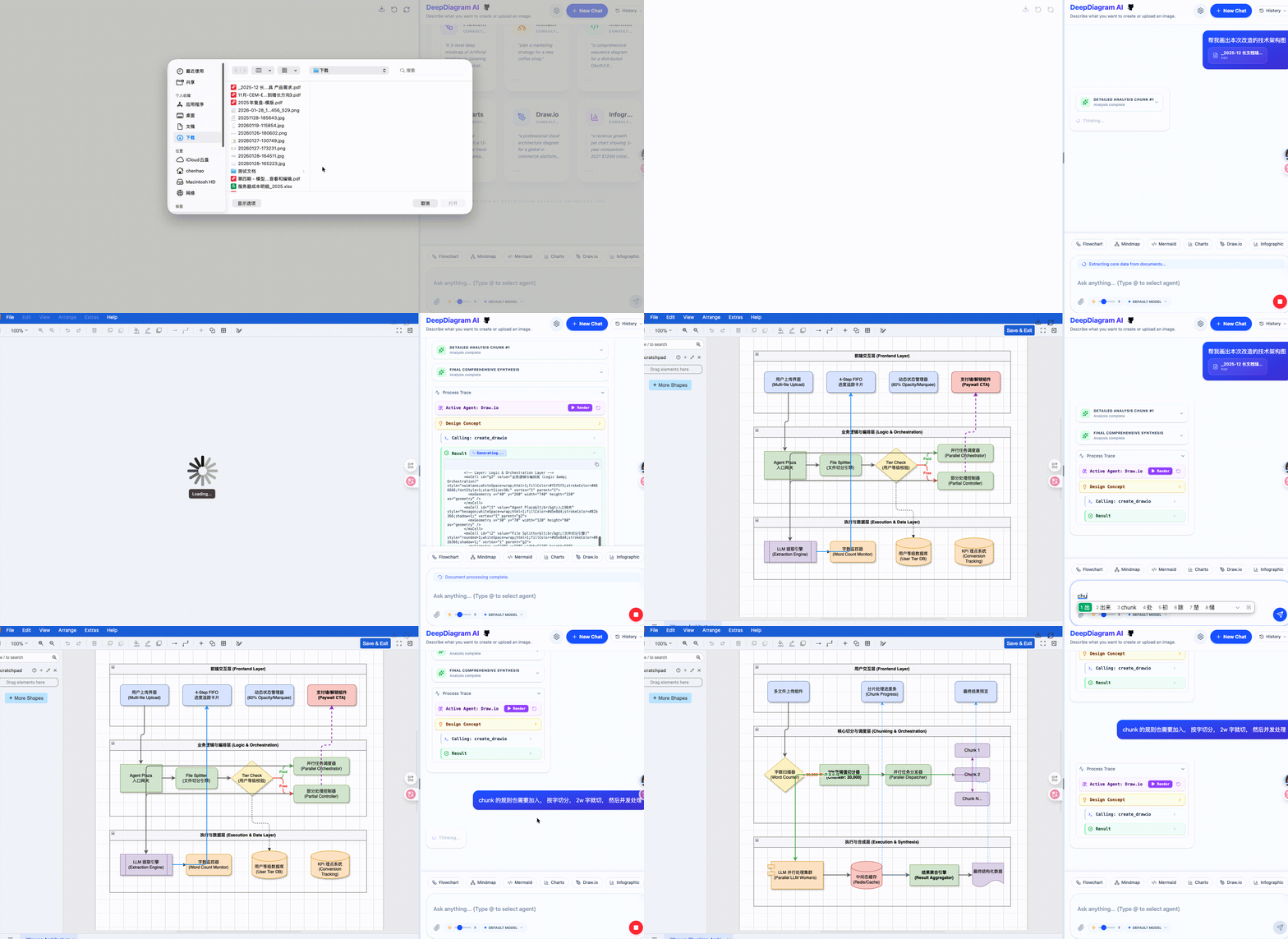
- Architecture Diagrams (Draw.io): Generate professional-grade cloud architecture and network topology diagrams with advanced canvas operations.
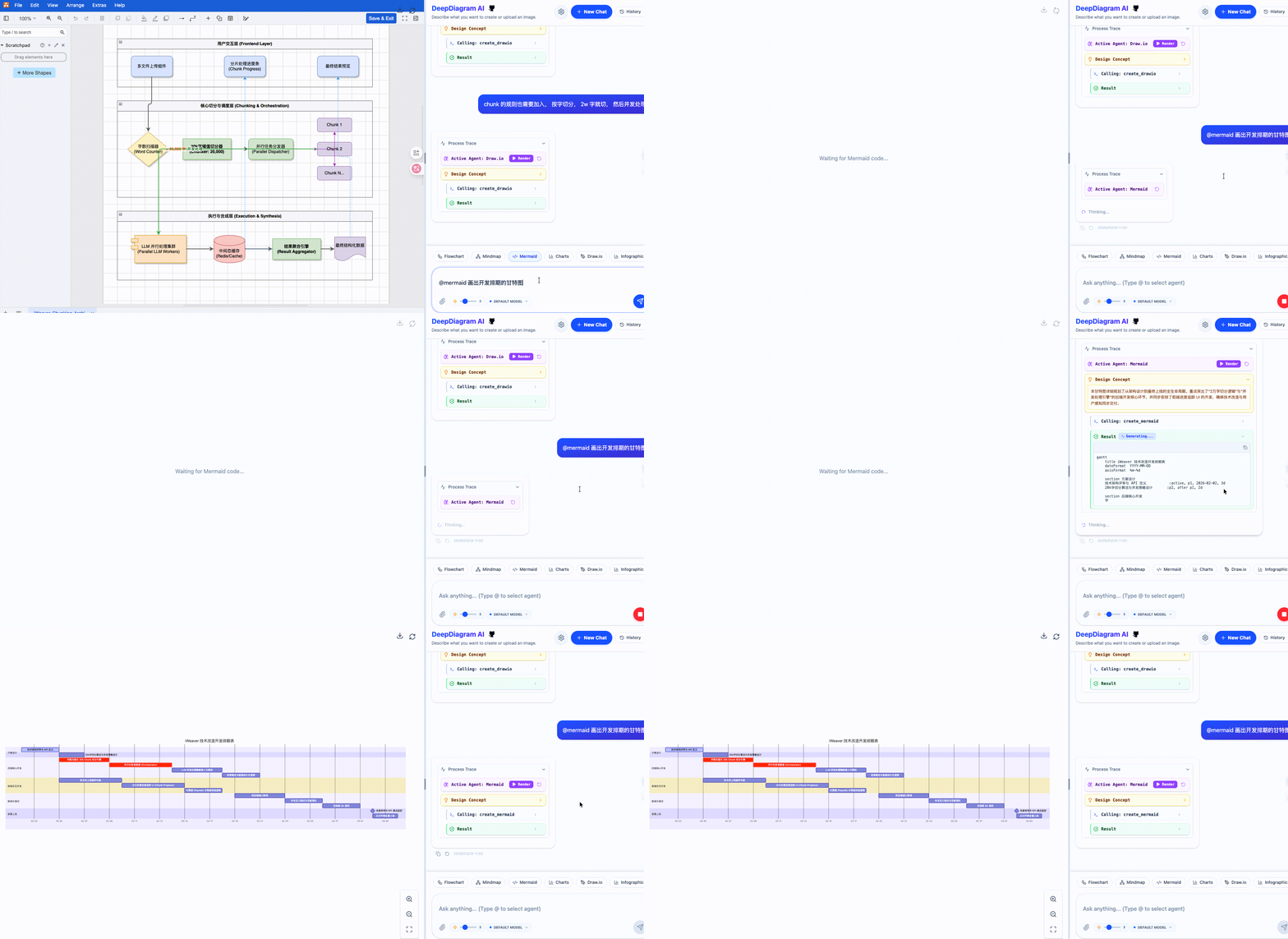
- Mermaid Engine: Generate sequence diagrams, Gantt charts, and state diagrams as easily as writing code.
- Infographics: Powered by the AntV engine, transform complex business logic into stunning visual posters.
4. What Makes This Project Different?
- Transparent Design Thinking: Before rendering, you can see the AI's "Design Concept" — it first explains how it understands your architecture or data.
- Multi-Model Freedom: Supports OpenAI, DeepSeek, Claude, and more. You can even connect to locally deployed models.
- Fully Open Source, Full Control: Built with React 19 + FastAPI + LangGraph under the AGPL-3.0 license. Customize your own Agents to fit your needs.
5. Final Thoughts
The motivation behind this project is simple: let people spend their time thinking, not aligning lines or searching for tools. Whether you're a PM, an architect, or an analyst working with data every day, I hope DeepDiagram helps you instantly turn the ideas in your head into structured visual representations.
The project has already gained significant attention on GitHub. Feel free to give it a Star or open an Issue to tell me what diagramming scenarios you want most!
Project Repository: https://github.com/twwch/DeepDiagram
Live Demo: https://deepd.cturing.cn/app